
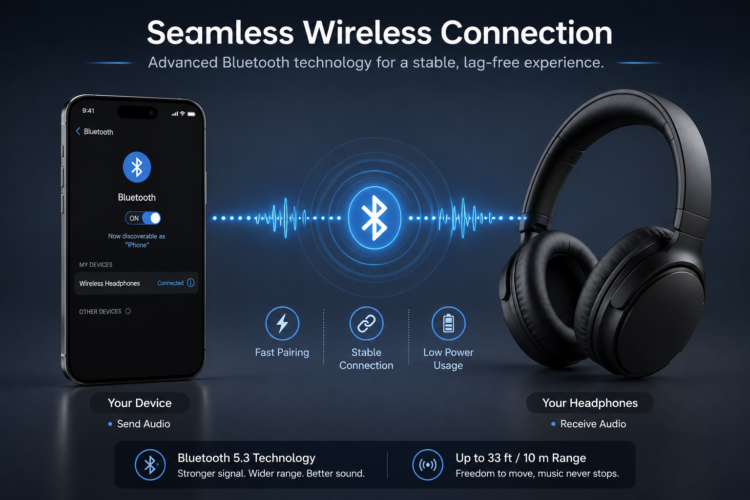
Bluetooth is one of those technologies most people use every day but very few actually understand. Why does audio sometimes cut out? Why does your Bluetooth speaker sound worse than your wired headphones? Why does your phone say it’s connected but there’s no sound? The answer to all these questions lies in how Bluetooth actually works under the hood.
This guide from WirelessGearGuide.com breaks down Bluetooth technology in plain English — no engineering degree required. By the end, you’ll understand codecs, versions, profiles, and why they matter for your day-to-day listening experience.
What is Bluetooth, Exactly?
Bluetooth is a short-range wireless communication standard that uses radio waves in the 2.4 GHz frequency band to exchange data between devices. The name comes from Harald Bluetooth, a 10th-century Danish king who united warring tribes — a metaphor for connecting different types of devices.
Modern Bluetooth operates using a master-slave architecture where one device (the master, e.g., your phone) controls the connection timing, and the other device (the slave, e.g., your headphones) responds to the master’s schedule. The standard is maintained by the Bluetooth SIG (Special Interest Group), which includes over 35,000 member companies worldwide.
Bluetooth Versions Explained
| Version | Year | Key Feature | Max Speed | Range |
| Bluetooth 4.0 | 2010 | Bluetooth Low Energy (BLE) | 1 Mbps | 60m |
| Bluetooth 4.2 | 2014 | IPv6 support, faster | 1 Mbps | 60m |
| Bluetooth 5.0 | 2016 | 2x speed, 4x range | 2 Mbps | 240m |
| Bluetooth 5.1 | 2019 | Direction finding | 2 Mbps | 240m |
| Bluetooth 5.2 | 2020 | LE Audio, LC3 codec | 2 Mbps | 240m |
| Bluetooth 5.3 | 2021 | Better efficiency | 2 Mbps | 240m |
| Bluetooth 5.4 | 2023 | Signed Advertising Data | 2 Mbps | 240m |
For audio purposes, Bluetooth 5.0 and above is the current standard. The key upgrade in Bluetooth 5.2 was the introduction of LE Audio, which uses the new LC3 (Low Complexity Communication Codec) and enables features like Auracast broadcast audio — the ability to broadcast audio to multiple headphones simultaneously in a public space like an airport or gym.
Bluetooth Profiles: A2DP, HFP, and More
Bluetooth uses different ‘profiles’ for different types of communication. The profile determines what kind of data is transmitted and how.
A2DP — Advanced Audio Distribution Profile
A2DP is the profile responsible for high-quality stereo audio streaming from your phone to your headphones. When you’re listening to music on Bluetooth headphones, A2DP is the profile being used. The audio codec (SBC, AAC, LDAC, etc.) operates within A2DP.
HFP — Hands-Free Profile
HFP is used for phone calls. When you receive a call, your Bluetooth device switches from A2DP to HFP. This is why call audio quality is often worse than music quality — HFP uses a much narrower bandwidth. The Bluetooth SIG has been working to improve call audio quality with the introduction of Wideband Speech and Super Wideband Speech profiles.
AVRCP — Audio/Video Remote Control Profile
AVRCP allows you to control media playback (play, pause, skip, volume) from your Bluetooth device without touching your phone. This is the profile that enables the buttons on your headphones to control your music app.
| [ IMAGE: In-Article Image – Infographic showing Bluetooth profiles A2DP, HFP, AVRCP with icons ] |
Audio Codecs: The Most Important Part Nobody Talks About
The audio codec is arguably the most important factor in Bluetooth audio quality that most people never think about. A codec (coder-decoder) is an algorithm that compresses your audio file for transmission over Bluetooth and then decompresses it at the receiving device.
SBC — Sub-Band Coding
SBC is the universal Bluetooth audio codec — every Bluetooth headphone supports it. But it’s also the lowest quality codec with the highest latency. Bit rates max out around 328 kbps. Sound quality is acceptable but noticeably inferior to a wired connection.
AAC — Advanced Audio Coding
AAC is Apple’s preferred codec and is natively supported on all iOS devices and modern Macs. On Apple devices, AAC sounds noticeably better than SBC with lower latency. However, AAC implementation on Android devices is inconsistent — some Android phones process AAC poorly, resulting in worse quality than SBC.
aptX and aptX HD
Qualcomm’s aptX codec offers lower latency and better audio quality than SBC at up to 352 kbps. aptX HD extends this further to 576 kbps, approaching CD quality. aptX Adaptive is the latest evolution, dynamically adjusting bitrate from 276 kbps to 420 kbps based on connection conditions, with sub-80ms latency.
LDAC — Sony’s Hi-Res Bluetooth Codec
LDAC, developed by Sony and now built into Android 8.0+, is currently the highest quality Bluetooth audio codec available. It supports up to 990 kbps — nearly three times the bandwidth of SBC — allowing for hi-res audio streaming over Bluetooth. The trade-off is that LDAC requires a strong, stable connection; at longer distances or with interference, it automatically drops to lower quality tiers.
| Codec | Max Bitrate | Latency | Best For | Availability |
| SBC | 328 kbps | ~200ms | Universal fallback | All BT devices |
| AAC | 250 kbps | ~120ms | Apple devices | Apple, some Android |
| aptX | 352 kbps | ~170ms | Android + aptX devices | Qualcomm-based |
| aptX HD | 576 kbps | ~200ms | Hi-res music lovers | Select Android |
| aptX Adaptive | 420 kbps | ~80ms | Gaming + music | Select Android |
| LDAC | 990 kbps | ~200ms | Hi-res audiophiles | Android 8+, select BT |
| LC3 (LE Audio) | 160-345 kbps | ~30ms | Future standard | BT 5.2+ devices |
Common Bluetooth Audio Problems and Fixes
Why Does My Bluetooth Keep Cutting Out?
Bluetooth audio dropout is usually caused by interference, distance, or obstructions. The 2.4 GHz band is also used by Wi-Fi, microwaves, and baby monitors. Moving closer to your source device, clearing obstructions (like walls or your own body blocking the signal), and turning off competing 2.4 GHz devices usually solves the problem.
Why is There a Delay Between Video and Audio?
Audio lag in Bluetooth is called latency. Traditional A2DP with SBC has ~200ms of latency, which is noticeable when watching video. For gaming and video, look for headphones that support aptX Low Latency (~40ms) or aptX Adaptive (~80ms). Some devices also offer a dedicated ‘gaming mode’ that bypasses extra processing to reduce latency.
Related: Best Wireless Earbuds 2026: Top Picks for Every Budget — WirelessGearGuide.com
Related: LDAC vs aptX: Which Bluetooth Codec Should You Use? — WirelessGearGuide.com
Related: How to Fix Bluetooth Audio Dropout Issues — WirelessGearGuide.com


Leave Comment