
Nobody likes waiting for their phone to charge. Whether you’re using a wireless pad, a USB-C cable, or a MagSafe charger, small changes to how you charge can make a significant difference in how quickly your battery fills up. These tips from WirelessGearGuide.com are tested and proven.
Understanding Charging Speed: The Basics
Charging speed is determined by power — measured in Watts (W). Power equals Voltage (V) multiplied by Current (A). A standard 5W charger (5V at 1A) will charge your phone much slower than a 45W fast charger. Modern phones support fast charging protocols like USB Power Delivery (USB-PD), Qualcomm Quick Charge, and Samsung Adaptive Fast Charging, which negotiate higher voltages for faster charging.
| Charging Standard | Max Speed | Compatible With |
| Standard USB-A (5W) | 5W | All phones (slow) |
| Apple 12W/20W USB-C | 20W | iPhone 8+ |
| Samsung Adaptive Fast Charge | 25W | Galaxy S series |
| Qualcomm Quick Charge 4+ | 100W | Snapdragon Android |
| USB Power Delivery (PD) | Up to 240W | Most modern phones |
| Wireless (Qi) | Up to 15W | Qi-compatible phones |
| MagSafe/Qi2 | 15W | iPhone 12+, Qi2 devices |
10 Tips to Charge Your Phone Faster
Tip 1: Use the Right Charger
The single biggest factor in charging speed is the charger itself. Always use the charger that came with your phone, or one that matches your phone’s maximum charging specification. Using a 5W charger on a phone that supports 45W is like filling a swimming pool with a garden hose.
Tip 2: Use a High-Quality USB-C Cable
A cable rated for 5A/100W is very different from a $3 USB-C cable. Cheap cables create resistance that slows charging and can even damage your device. Look for cables certified for USB Power Delivery 3.0 and with an e-marker chip for speeds above 60W.
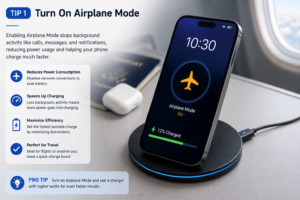
Tip 3: Enable Airplane Mode While Charging
Your phone’s radios (cellular, Wi-Fi, Bluetooth) consume significant power even when the screen is off. Enabling airplane mode while charging can increase charging speed by 10-25%, especially on wireless chargers where power delivery is already limited.
Tip 4: Turn the Screen Off
The display is the biggest power consumer in your phone. If you’re charging and actively using your phone at the same time, charging will slow significantly. Turning the screen off (or at minimum reducing brightness) helps a lot.
Tip 5: Don’t Charge in a Hot Environment
Lithium-ion batteries charge more slowly (and degrade faster) when hot. Never leave your phone charging in direct sunlight, in a hot car, or under a pillow. Heat triggers thermal throttling in the charging system as a protection mechanism.
Tip 6: Remove Your Phone Case for Wireless Charging
Thick phone cases (especially leather or metal cases) significantly reduce wireless charging efficiency. For wireless charging, the ideal scenario is no case or an ultra-thin case under 3mm. If you use a MagSafe case, make sure it’s specifically designed for MagSafe to maintain magnetic alignment.
Tip 7: Keep Your Charging Port Clean
A dirty USB-C or Lightning port can cause poor connections that reduce charging speed or stop charging altogether. Use a dry toothbrush or compressed air to gently clean out lint and debris from your charging port once a month.
Tip 8: Plug Into the Wall, Not a USB Hub
USB hubs, laptop USB ports, and car chargers almost always provide less power than a wall charger. A USB-A port on a laptop provides 4.5W at most. For the fastest charging, always use a wall charger with the appropriate wattage for your device.
Tip 9: Use Low Power Mode (Battery Saver Mode)
Both iPhone’s Low Power Mode and Android’s Battery Saver reduce background app activity, screen refresh rate, and network connections. This reduces your phone’s power consumption while charging, which means more power can go toward actually filling the battery.
Tip 10: Don’t Charge to 100% Every Time
This tip is about long-term battery health, not immediate speed. Lithium-ion batteries experience the least stress between 20% and 80%. Charging to 100% every day slowly degrades maximum capacity. Both Apple and Samsung now have optimized charging features that learn your habits and stop charging at 80% overnight.
Wired vs Wireless Charging Speed Comparison
| Method | iPhone 15 Pro (0-100%) | Galaxy S24 Ultra (0-100%) | Notes |
| Lightning 5W | 3 hrs 10 min | N/A | Very slow |
| Apple 20W USB-C | 1 hr 45 min | N/A | Decent |
| Samsung 45W Wired | N/A | 58 min | Excellent |
| MagSafe 15W | 2 hrs 20 min | N/A | Convenient |
| Qi2 15W | 2 hrs 25 min | 2 hrs 10 min | Universal option |
| Qi 10W | 2 hrs 55 min | 2 hrs 40 min | Slow wireless |
Related: Best Wireless Chargers 2026: Fast Charging Pads and Stands Reviewed — WirelessGearGuide.com
Related: Qi2 vs MagSafe: What’s the Difference? — WirelessGearGuide.com
Related: Is Wireless Charging Bad for Your Battery? The Real Answer — WirelessGearGuide.com


Leave Comment