
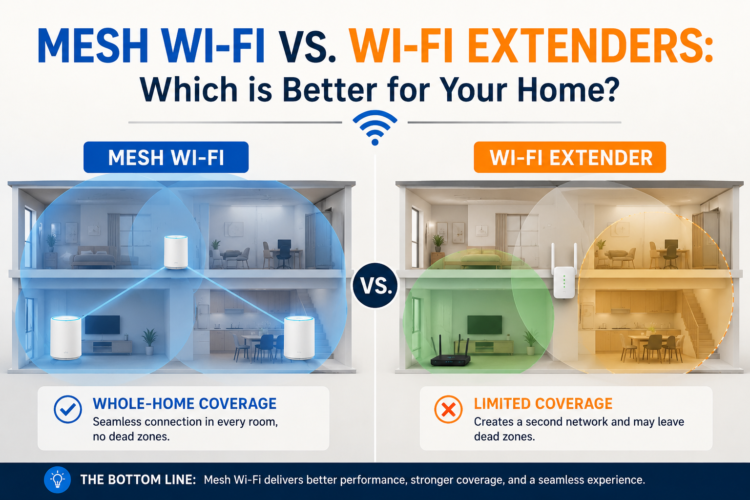
Dead zones. The bedroom that barely gets signal. The backyard where video calls always drop. If you’re dealing with Wi-Fi coverage problems, you have two main solutions: a Wi-Fi extender or a mesh Wi-Fi system. Both claim to solve the same problem, but they work very differently and for most people, one is significantly better than the other.
WirelessGearGuide.com has tested both approaches extensively. Here’s everything you need to know.
How Wi-Fi Extenders Work
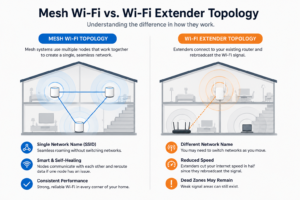
A Wi-Fi extender (also called a Wi-Fi repeater or range extender) works by receiving your existing Wi-Fi signal, amplifying it, and rebroadcasting it under a new or the same network name. It creates a second access point that extends your coverage area.
The problem is that repeating a signal means the extender receives your router’s signal and then rebroadcasts it. This process takes time, effectively halving the available bandwidth for devices connected to the extender. Additionally, most basic extenders operate on a single band, meaning they use the same channel to receive from the router AND to send to your devices, creating additional congestion.
How Mesh Wi-Fi Systems Work
A mesh Wi-Fi system consists of a primary router node and one or more satellite nodes that communicate with each other to create a single, unified Wi-Fi network. All nodes share the same SSID (network name) and password, and your devices automatically connect to whichever node provides the strongest signal as you move around your home.
Premium mesh systems use a dedicated backhaul band — typically the 5GHz or 6GHz band — exclusively for node-to-node communication. This means the band your devices connect to isn’t shared with router-to-node traffic, preserving full bandwidth throughout the network.
Head-to-Head Comparison
| Factor | Wi-Fi Extender | Mesh Wi-Fi System |
| Setup Complexity | Very simple | Simple (app-based) |
| Price | $20–$100 | $150–$800+ |
| Bandwidth Impact | Halves bandwidth | Minimal (dedicated backhaul) |
| Seamless Roaming | No (manual switching) | Yes (automatic handoff) |
| Network Management | Separate networks | Single unified network |
| Scalability | Limited (1-2 units) | Highly scalable |
| Best For | Single dead zone, budget | Whole-home coverage |
When a Wi-Fi Extender is the Right Choice
Wi-Fi extenders make sense in specific scenarios: you have a single dead zone in an otherwise well-covered home (like one corner bedroom), you’re renting and can’t make permanent changes to your network, or you have a very tight budget and only need to extend coverage slightly.
For these cases, a dual-band extender that uses the 5GHz band as a dedicated backhaul is the minimum we’d recommend. Products like the TP-Link RE705X or Netgear EX7500 offer this feature and perform significantly better than single-band extenders.
When Mesh Wi-Fi is the Right Choice
If you need coverage in multiple rooms, on multiple floors, or outdoors, mesh Wi-Fi is almost always the better investment. The seamless roaming alone is worth the price premium you should never have to manually disconnect and reconnect to a different network as you walk through your home.
The best budget mesh option is the Amazon Eero 6+ (2-pack for $149), which covers 2,700 sq ft with Wi-Fi 6 and a 6GHz backhaul in a system that takes 10 minutes to set up. For larger homes, the TP-Link Deco XE75 Pro (3-pack) covers 7,500 sq ft with Wi-Fi 6E.
Tips for Optimal Placement
- Place mesh nodes or extenders where they can receive a strong signal from the router (not at the outer edge of Wi-Fi coverage)
- Halfway between the router and the dead zone is the optimal placement for a single extender
- Avoid placing near microwaves, cordless phones, or baby monitors
- Elevate nodes off the floor a shelf or table at waist height outperforms floor placement
- Avoid placing inside cabinets or behind TVs


Leave Comment