
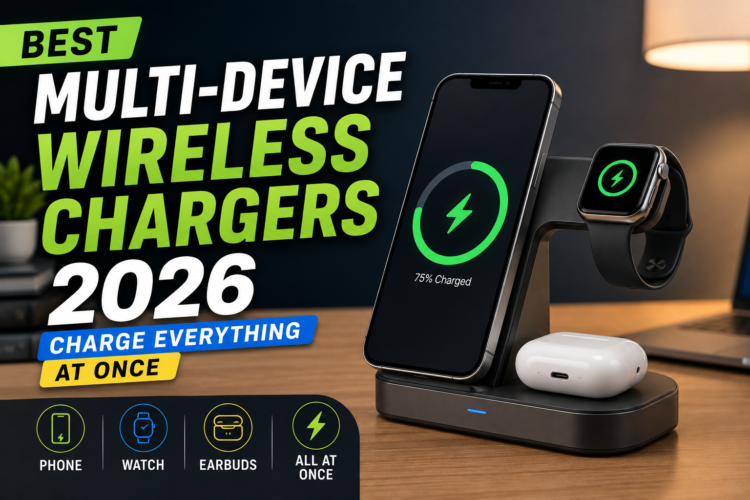
The average person carries a smartphone, wireless earbuds, and a smartwatch every day. That’s three devices that all need charging and three separate cables is a mess nobody wants. Multi-device wireless chargers solve this problem elegantly, letting you drop everything onto a single pad or station and walk away.
WirelessGearGuide.com has tested every major multi-device wireless charger in the market. Here’s our definitive guide for 2026.
What to Look for in a Multi-Device Charger
- Total wattage output — can it charge all devices at full speed simultaneously?
- Build quality — cheap plastics and cables create safety risks
- Compatibility — does it support your specific devices (MagSafe for iPhone, Qi for earbuds, etc.)?
- Size and footprint — does it fit on your nightstand or desk?
- Included power adapter — some chargers don’t include the wall adapter, inflating the real cost
Top 5 Multi-Device Wireless Chargers in 2026
1. Anker MagGo 3-in-1 Charging Station (Q370) — Best Overall
Anker’s MagGo 3-in-1 is the best multi-device wireless charger for most people. It simultaneously charges an iPhone at 15W MagSafe speeds, an Apple Watch at 3W, and AirPods or another Qi device at 5W. The foldable arm means you can use your iPhone in landscape mode while charging perfect for FaceTime or video calls. Total output: 23W. Includes a 67W USB-C adapter in the box.
2. Belkin BoostCharge Pro 3-in-1 with MagSafe — Best Premium Pick
Belkin’s premium 3-in-1 charging station is officially MFi certified, which means Apple has verified its safety and compatibility. The Apple Watch charging module supports fast charging (compatible with Series 7 and later). Build quality feels more premium than the Anker option, with a weighted base that doesn’t slide around.
3. ESR 3-in-1 Travel Charger — Best for Travel
ESR’s travel-optimized charger folds completely flat into a puck shape that fits in any pocket or carry-on. It supports MagSafe for iPhone, has a built-in Apple Watch charger, and Qi for AirPods or Android. Build quality is excellent for the price point. Note: it charges iPhone at 7.5W (not 15W) due to no MFi certification.
4. Samsung Wireless Charger Trio — Best for Samsung Ecosystem
Samsung’s Wireless Charger Trio handles Galaxy phones at up to 9W, Galaxy Watch at 5W, and Galaxy Buds at 3W simultaneously. The flat, oblong design is clean and minimal. It’s worth noting that Samsung intentionally limits third-party wireless charging speeds on Galaxy phones for the fastest wireless charging on Galaxy devices, use Samsung’s own accessories.
5. Mophie 3-in-1 Wireless Charging Stand — Best Nightstand Charger
Mophie’s 3-in-1 stand design holds your iPhone upright in portrait or landscape orientation — making it ideal as a bedside alarm clock stand. The Apple Watch charger is positioned so you can glance at your watch from bed. It’s slightly overpriced at $149, but the thoughtful ergonomics and Mophie’s lifetime warranty justify it for many users.
Speed Comparison: Multi-Device Chargers
| Charger | Phone Speed | Watch Speed | Earbuds Speed | Total Output | Price |
| Anker MagGo 3-in-1 | 15W (MagSafe) | 3W | 5W (Qi) | 23W | $99 |
| Belkin BoostCharge Pro | 15W (MagSafe) | 5W (fast charge) | 5W (Qi) | 25W | $149 |
| ESR 3-in-1 Travel | 7.5W | 3W | 5W | 15.5W | $69 |
| Samsung Trio | 9W | 5W | 3W | 17W | $79 |
| Mophie 3-in-1 Stand | 15W (MagSafe) | 3W | 5W | 23W | $149 |
Tips for Setting Up a Multi-Device Charging Station
- Place the charging station near your bed or desk where you naturally deposit devices
- Use cable management clips to keep the power adapter cable tidy
- Pair with a smart plug to automatically cut power after devices are fully charged
- Leave extra room around the charging station for airflow wireless charging generates heat
- Label each charging spot if you share the charger with family members
Related: Best Wireless Chargers 2026: Single-Device Pads and Stands — WirelessGearGuide.com
Related: Qi2 vs MagSafe: Which Standard Should You Choose? — WirelessGearGuide.com
Related: Best Wireless Earbuds That Charge Wirelessly — WirelessGearGuide.com


No Comments
Leave Comment